

NOC Request Tutorial
How to request a No Objection Certificate (NOC) for your premises.
Important Notice
From Monday, 06/07/2026, all NOC requests must go through the Weqayah online system. Requests sent any other way will not be accepted.
Prerequisites for requesting an NOC
To submit an NOC request, these requirements must be met:
- The applicant must be the owner of the building / land or officially authorized to submit the request.
- All required Weqayah devices on the same land / plot must be fully paid, installed, and connected to the system.
- All annual renewal dues must be fully paid.
- All pending dues, violations, or fines must be fully settled.
Step 1: Access the Premises List
- Log in to your WEQAYAH customer account.
- From the left-hand navigation menu, click on Premises.
- You will see a list of all your registered properties.
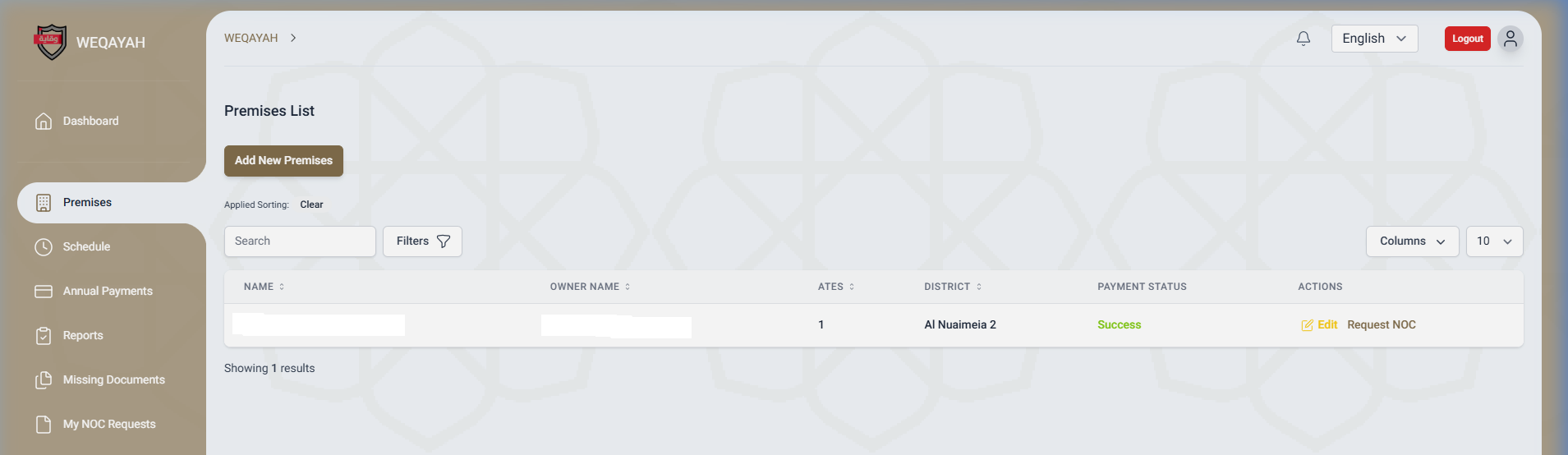
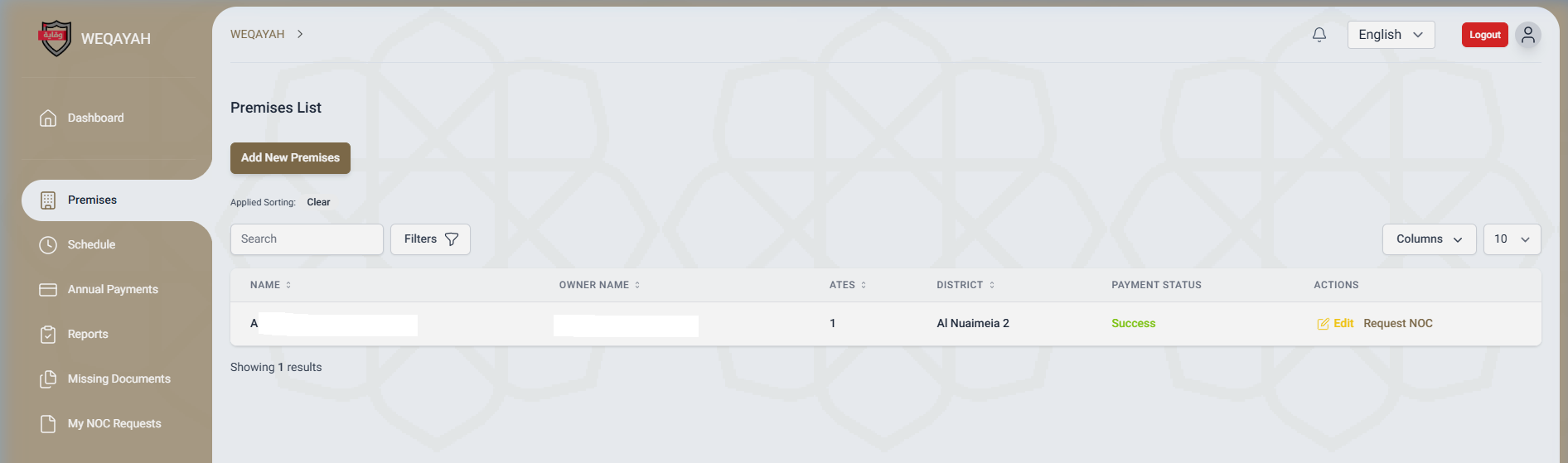
Step 2: Find Your Premises
- Locate the specific premises for which you need an NOC.
- Look at the Actions column on the far right of the row.
- Click the Request NOC button.
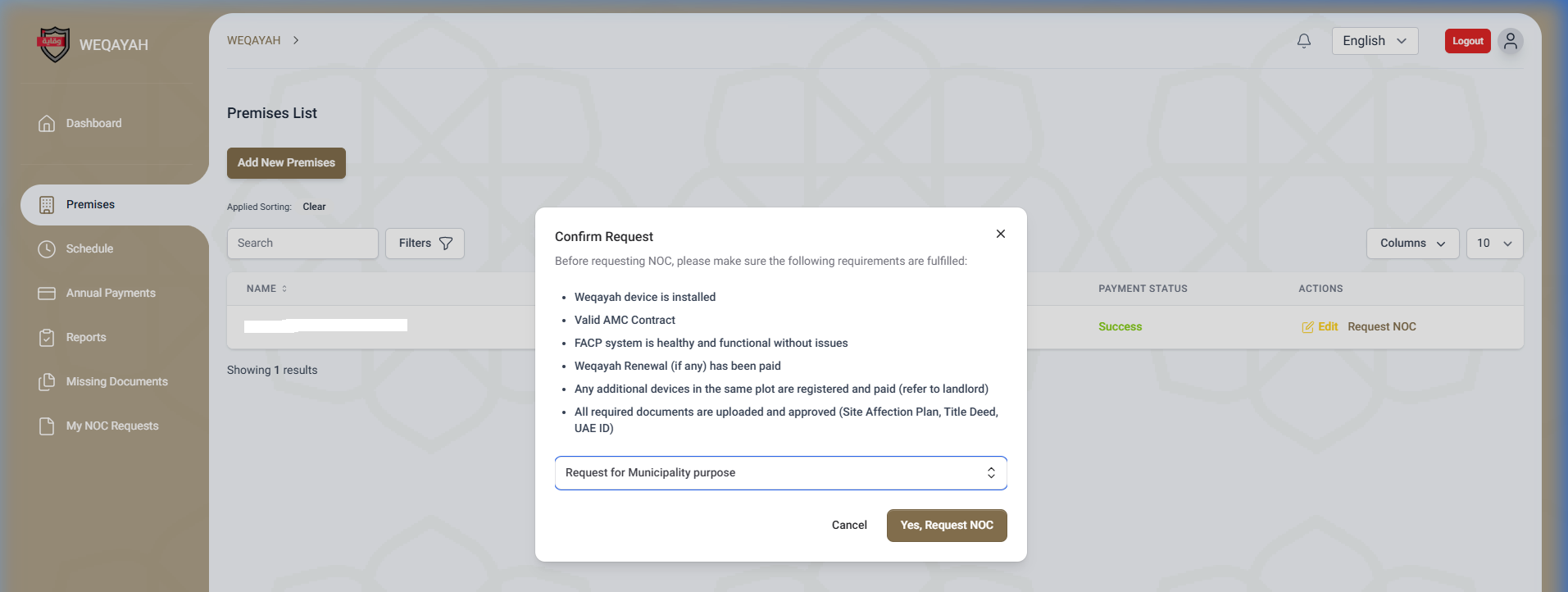
Step 3: Confirm Requirements and Select Reason
- A Confirm Request modal will appear.
- Review the checklist to ensure you meet all requirements (installed device, valid AMC, healthy FACP, fees paid, documents uploaded).
- At the bottom of the modal, click the dropdown menu and select the reason for your NOC request (e.g., Municipality, Civil Defence).
- Click the Yes, Request NOC button to submit.
Step 4: View Result
- A success message will appear confirming your request has been submitted successfully.
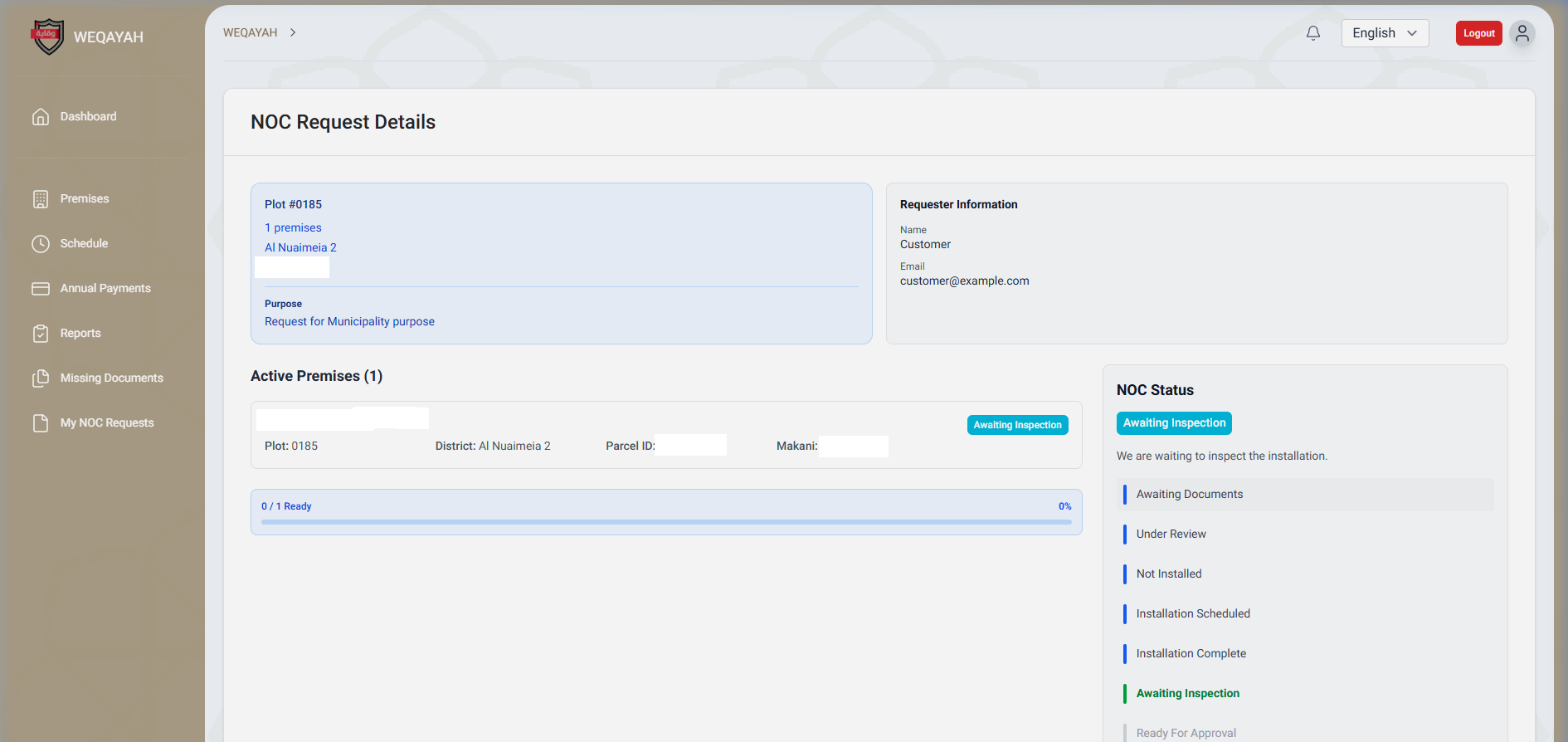
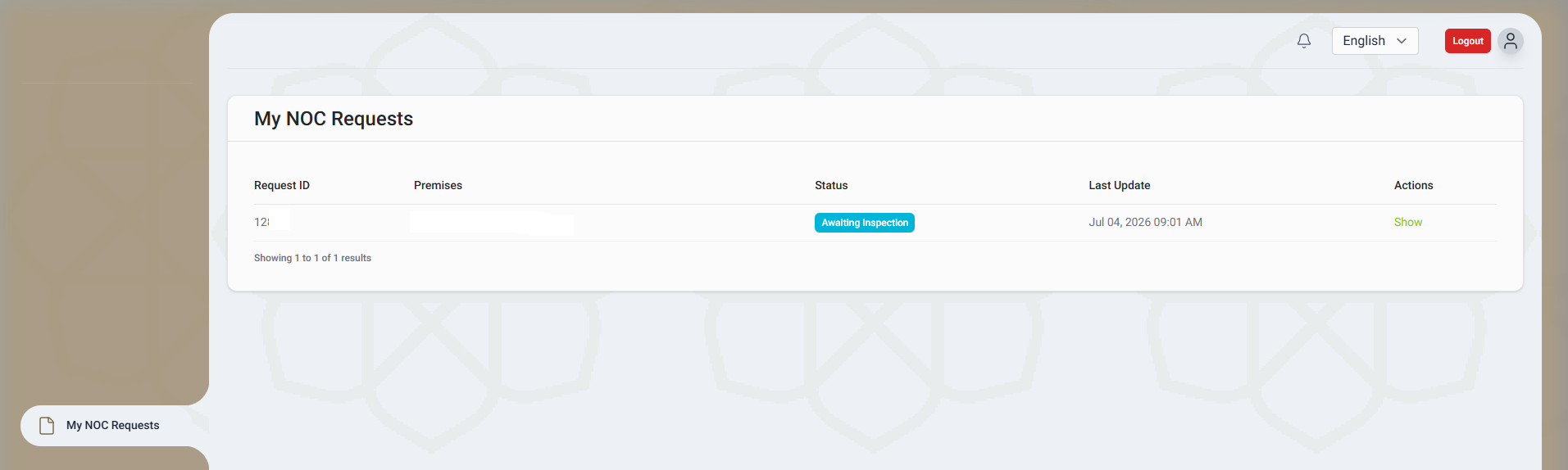
Step 5: Track Your Request
- To track the status of your NOC, go to My NOC Requests from the left menu.
- Here you can see the status of all your requests (e.g., Under Review) and eventually download the certificate once approved.
Frequently Asked Questions
Why is the "Request NOC" button not showing for my premises?
The button only appears if your premises meets the basic prerequisites: the WEQAYAH device must be installed and you must have a valid AMC contract.
What documents do I need to upload before requesting an NOC?
You need to upload an approved Site Affection Plan, Title Deed, and your UAE ID. These can be uploaded in the Premises details page.
How long does it take to get the NOC approved?
NOC requests are processed within a maximum of 5 working days, provided all requirements are met.
Can I download the NOC once it is approved?
Yes, you can go to "My NOC Requests", find your approved request, and click the download button to get a PDF copy of your certificate.